
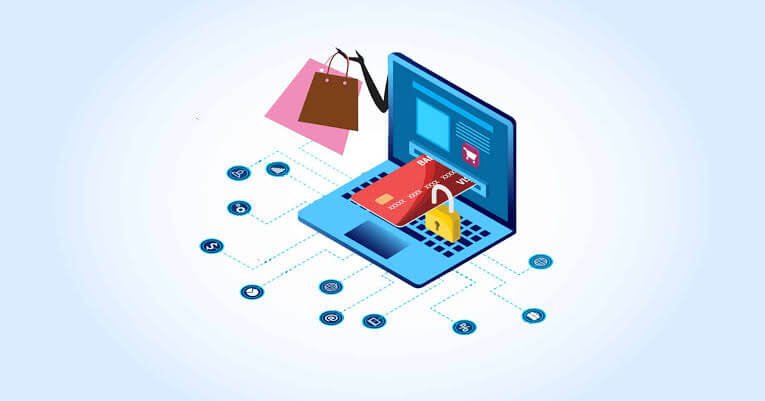
To shop online safely in 2026, buy from stores you can verify, protect your accounts with strong passwords and two-step login, pay with a method that lets you dispute a charge, keep your devices updated, and never trust links sent by message. If a deal feels too good, pause and check the seller before you pay.
This guide walks you through six simple steps, gives you a checklist to use before every purchase, and explains what to do if something goes wrong. You do not need technical skills. You only need a few good habits.
Why safe online shopping matters more in 2026
Online shopping is easy, and that is exactly why criminals like it. A fake store can be built in a day, and a fake ad can reach thousands of people before lunch. Today, AI tools also help scammers write clean text, copy brand looks, and even make fake videos, so old tips like “look for spelling mistakes” are no longer enough.
Here is what the latest data shows:
- Online purchase scams were 28.4% of all scams reported to BBB Scam Tracker in 2025, which put them third among the riskiest scam types, says the BBB.
- The Consumer Federation of America reported $20.877 billion lost to online scams and crimes in 2025, up 25.8% from the year before, according to Mass.gov.
- The FTC reported that Americans lost $2.1 billion in 2025 to scams that began on social media, about eight times the level in 2020, as covered by iHeart / PYMNTS.
The good news is that most of these losses can be avoided with small, repeatable habits. The rest of this guide shows you how.
Step 1: Choose where you shop, and check new stores
The safest purchase starts with a safe seller. Whenever you can, buy from stores you already know and reach them by typing the address or using the official app. The FTC gives a simple rule for stores you do not know: look up the company or product online before you order (FTC).
How to check a new store in five minutes
- Read the web address slowly. Look for extra words, dashes, swapped letters, or odd endings.
- Search the name with “reviews” or “scam”. Trust outside sites more than the store’s own testimonials.
- Find the business details. A real shop lists a physical address, a working phone or email, and clear terms.
- Read the return and refund policy. It should be clear, specific, and not copied from another site.
- Check how old the site is. A free “WHOIS lookup” tool shows when the domain was created. Very new sites deserve extra care.
- Compare the price. A deal far below the market is a warning, not a reward.
Do not rely on the padlock
The padlock icon in your browser means your connection is encrypted. It does not prove the seller is honest. Criminals can get one for a fake store, so judge the seller, not the icon.
Go to the source
Before you pay a new store, see if the same product is sold on the brand’s own site or a large, well-known retailer. If the brand does not list the store as a partner, think twice.
Step 2: Protect your shopping accounts
A stolen password can let a criminal shop with your saved card and your address. Strong account habits close that door.
- Use a different password for every account. If one site is hacked, the others stay safe.
- Make passwords long. A phrase of four or more random words is stronger and easier to remember than a short, tricky word.
- Use a password manager. It creates and stores strong passwords, so you do not need to remember them all.
- Turn on two-step login. Even if someone learns your password, they still need a second code or approval from you.
- Try passkeys where offered. A passkey lets you sign in with your fingerprint, face, or device lock instead of a typed password, and it is much harder to trick you into giving it away.
- Check your email account first. Your email can reset every other account, so protect it best.
- Do not save your card on sites you do not trust. Choose guest checkout for one-time purchases.
If a store tells you it has been hacked, change the password for that account right away. Also change it anywhere else you used the same one.
Step 3: Pay in a way that protects you
How you pay matters as much as where you pay. The best methods let you challenge a charge if the seller cheats you. The worst ones make your money almost impossible to get back. Rules differ by country, bank, and card, so always check your own terms.
|
Payment method |
Safety level |
Best used for |
Watch out for |
|---|---|---|---|
|
Credit card |
High |
Most online purchases |
Entering card data on fake sites |
|
Virtual or one-time card number |
High |
Stores you do not know well |
Not offered by every bank |
|
Trusted wallet with buyer protection |
High |
Fast, repeat purchases |
Claim deadlines and rules |
|
Debit card |
Medium |
Stores you trust |
Money leaves your bank account at once |
|
Cash on delivery |
Medium |
Local sellers you can verify |
Paying before you can open the parcel |
|
Bank transfer or friends-and-family payment |
Low |
Paying people you know |
Almost no way to reverse it |
|
Crypto or gift cards |
Very low |
Nothing related to shopping |
Nearly impossible to recover |
Smart payment habits
- Pay only on the store’s own checkout page, never through a link in a chat.
- Turn on payment alerts in your banking app.
- Never share one-time codes sent to your phone. A real store will not ask you to read them out.
- If a seller asks you to switch to a different payment method at the last minute, walk away.
Step 4: Secure your phone, computer, and Wi-Fi
Even a safe store cannot protect you if your device is infected or your connection is spied on. These habits keep your gear in good shape.
- Update your system and apps. Updates fix weak spots that criminals use. Turn on automatic updates.
- Install apps only from official stores. Fake shopping apps can steal data. Check the developer name and the number of downloads before you install.
- Use a screen lock. A PIN, fingerprint, or face unlock protects your saved cards if you lose your phone.
- Avoid public Wi-Fi for payments. If you must use it, switch to your mobile data for the checkout step.
- Secure your home Wi-Fi. Use a strong Wi-Fi password and change the default router login.
- Use security software. A trusted antivirus or built-in protection can block known bad sites and downloads.
- Do not open surprise attachments. Files in unexpected emails or chats can carry malware.
Step 5: Shop with care on social media and marketplaces
Social feeds are now a major path for scams. The FTC reported more than $2 billion in losses in fiscal year 2025 where social media was the contact method (FTC testimony). The BBB adds that hot products offered cheaply on social media are a common trap.
Safer habits for social ads
- Treat an ad as a hint, not proof. Search for the brand on your own before you buy.
- Check how long the page has existed and whether real customers talk about it elsewhere.
- Be wary of ads that use famous faces. Check the star’s official profile to see if the deal is real.
- Report fake ads. It helps protect other shoppers.
Safer habits for peer-to-peer marketplaces
On sites like Facebook Marketplace or Craigslist, extra care is needed, as noted by RetailBoss.
- Meet in a public place for local pickups, and check the item before you pay.
- Do not pay by transfer, gift card, or crypto to a stranger.
- Keep the chat and payment on the platform. If the seller wants to move to another app, take that as a warning.
- Be careful with messages that include a payment link or a “verification code” request.
Step 6: Handle messages, delivery, receipts, and returns
Scams do not stop at checkout. Many start after you buy, when criminals send fake order or delivery messages.
Be careful with order and delivery messages
- Track parcels inside the store’s own app or account, not through a link in a text.
- If you get a message about an order you did not place, do not call the number in it. Log in to your real account to check.
- A real courier or store will not ask for card details or a login through a random link.
Keep records
- Save order emails, receipts, and the product page as a screenshot.
- Keep tracking numbers until the item arrives and works.
- Note the return deadline, so you do not miss it.
Unexpected packages
If a parcel arrives that you did not order, it may be part of a “brushing” trick, where sellers send cheap items to fake purchases and post “verified” reviews (Bitdefender). Change your passwords, check your accounts, and report the seller to the platform.
Check your statements
Glance over your card and bank statements every week during busy shopping months. Report anything you do not recognize right away, even a tiny charge.
Your pre-checkout safety checklist
Run through this list before you press “Pay”. If you tick fewer than eight boxes, pause.
- I typed the web address myself or used the official app.
- The store has outside reviews, not only its own.
- I found a real address and working contact details.
- The return and refund policy is clear.
- The price is realistic compared with other stores.
- I am paying through the site’s normal checkout.
- I chose a card or wallet that lets me dispute a charge.
- My device is updated and I am not on public Wi-Fi.
- No one is rushing me or asking for a code, gift card, or transfer.
- I have saved the order details and my payment alerts are on.
If something goes wrong: act in the first 24 hours
If you paid a fake store or shared details with a scammer, move fast and stay calm.
- Call your bank or card issuer. Ask them to block the card and start a dispute. Check your card terms for deadlines.
- Collect evidence. Take screenshots of the store, ad, chat, receipt, and web address.
- Change your passwords. Begin with email and banking, then any account with a matching password. Turn on two-step login.
- Report the seller or ad. Use the report tools on the platform where you found it.
- File an official report. In the US, report at ReportFraud.ftc.gov, and at IC3.gov if you lost money. In other countries, use your national consumer or cybercrime service. Save your report number.
- Watch for more attempts. Scammers may contact you again, offering to “recover” your money for a fee. Do not pay them.
Most victims never report, which helps scammers keep going, as one 2026 guide on reporting online scams points out. Your report can protect the next shopper.
frequently asked questions
Is online shopping safe in 2026?
It can be, if you use trusted stores, secure payment methods, and strong account habits. Risks are real, but most scams can be avoided with simple checks.
How can I tell if a website is legit?
Check the website trust score on Fake Website Checker, search for outside reviews, look for a real address and contact details, read the return policy, and compare the price with other stores.
What is the safest way to pay online?
A credit card, a one-time card number, or a trusted wallet with buyer protection is usually the safest. Avoid bank transfers, crypto, and gift cards with sellers you do not know.
Is it safe to save my card on a shopping site?
Only on sites you trust and use often. For one-time or new stores, use guest checkout and do not save the card.
Is public Wi-Fi safe for online shopping?
It is riskier. Use your mobile data or a trusted network for payments, and avoid logging in to banking or shopping accounts on open Wi-Fi.
Does the padlock mean a site is safe?
No. It only shows the connection is encrypted. A fake store can have one too, so check the seller itself.
What should I do if I never received my order?
Contact the seller first, then your card issuer or payment service to start a dispute. Keep your receipts and screenshots, and report the seller to the platform.
Why did I receive a package I did not order?
It may be a brushing scam. Check your accounts, change your passwords, and report the seller to the platform.
Are online reviews trustworthy?
Not always. Fake and AI-written reviews exist. Look for detailed, mixed reviews on outside sites and be wary of pages with only perfect scores.
Final thoughts:
You do not need to fear online shopping. You only need a repeatable routine: check the seller, guard your accounts, pay with protection, keep your devices updated, and pause when something feels rushed. These habits take minutes and can save you hundreds.
Bookmark this guide, share it with family, and use the checklist before your next purchase.